
Improve Accessibility with Automated Contrast Ratio Checking
Scan your Webflow pages, detect low-contrast text, and fix issues instantly—right inside the Designer.
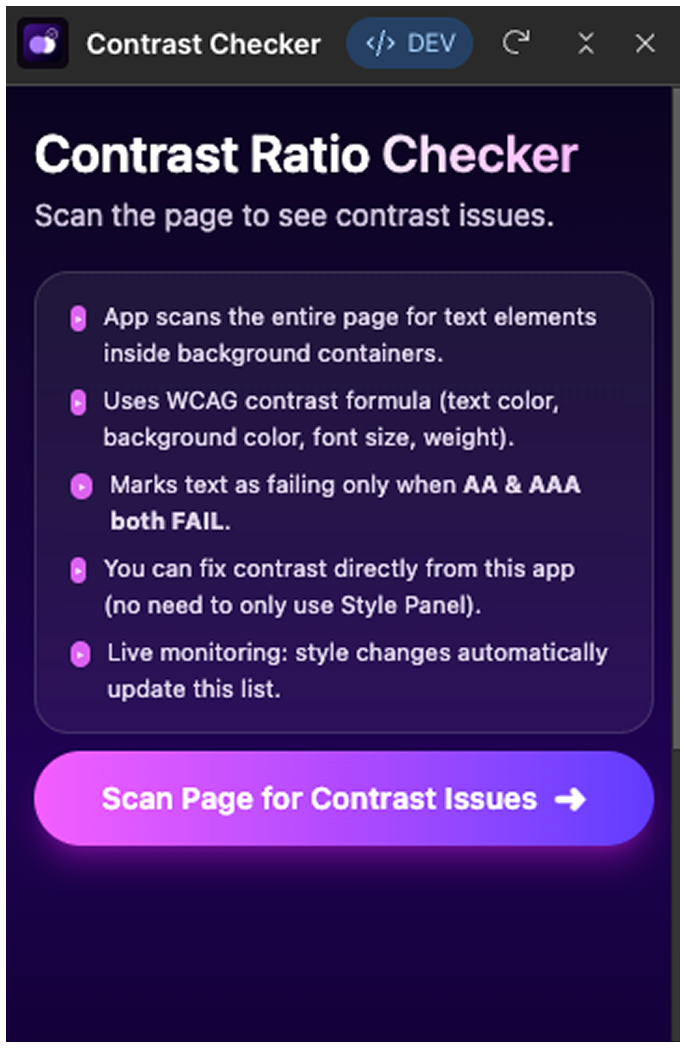
Small illustrations or screenshots from your app UI.

Your app checks contrast for all text inside background containers.
.svg)
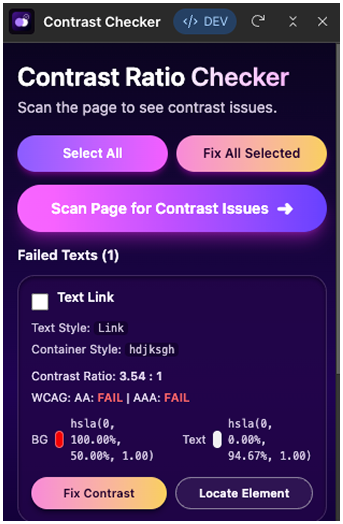
Automatically highlights WCAG AA and AAA failures.
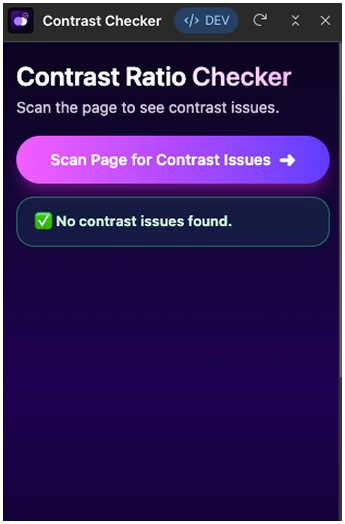
.svg)
Adjust colors instantly or locate the exact element in the Designer.
Automatic Contrast Scanning
Checks text color, background color, font size, and weight using WCAG formulas.
.png)

One-Click Fix:- Fix all issues or fix selected items instantly.
Real-Time Monitoring:- If styles change, the app updates results automatically.
Locate Element in Designer:- Jumps to the exact failing element in your Webflow canvas.
WCAG Compliance:- Shows AA / AAA pass or fail for each text block.
Why This App Is Essential
Text accessibility is a required part of WCAG compliance. Your app helps designers deliver inclusive and visually clear websites—without any manual effort.
No need to manually check color contrast
Reduces client accessibility issues
Improves UI/UX quality
Saves development time
Documentation / Help Center
Installation:- Step-by-step with images.
Open the app
Click Scan Page
View contrast issues
Fix individually or all